JetPack for WPF documentation
JetPack for WPF restyles every standard WPF control with the JetPack look from Microsoft’s Silverlight 4 Application Themes and adds the extra controls a desktop app usually needs (window, dialogs, toggle switch, numeric input, flyout, hamburger menu and more).
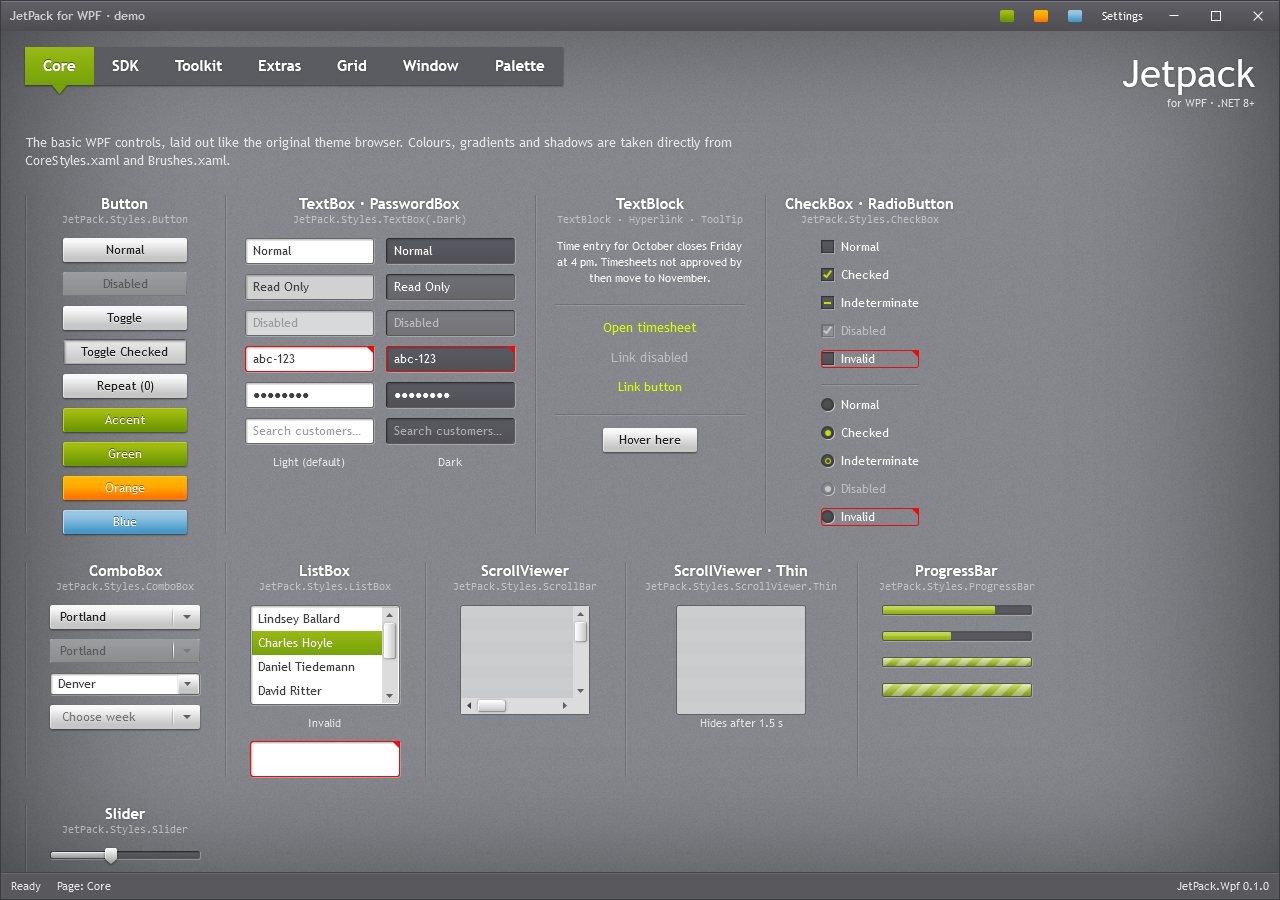
Start here
- Getting started: install, merge the dictionary, first window.
- Theme and accent: accents, generated accents, focus visuals, font size, overriding colours.
- Typography: fonts, heading styles, text rendering.
- Sample apps: an administration app with a
HamburgerMenuand a sales portal with the navigation bar, built from the controls.
Controls
| Page | Controls |
|---|---|
| Window and dialogs | JetPackWindow, window commands, flyout layer, JetPackDialog, ShowMessageAsync, plain Window style |
| Buttons | Button and its variants, ToggleButton, RepeatButton, Hyperlink, SplitButton, DropDownButton, Tile, Badged |
| Text and input | TextBox, PasswordBox, RichTextBox, Label, ComboBox, NumericUpDown, AutoSuggestBox, SearchComboBox, DatePicker, TimePicker, ColorPicker, watermarks, clear button, validation |
| Selection | CheckBox, RadioButton, ToggleSwitch, Slider, RangeSlider, Rating |
| Lists and data | ListBox, ListView/GridView, TreeView, DataGrid, JetPackGrid, Calendar, ScrollViewer/ScrollBar |
| Navigation and layout | TabControl (three looks), HamburgerMenu, Expander, Accordion, GroupBox, Menu, ContextMenu, ToolBar, StatusBar, GridSplitter, Separator, ToolTip |
| Progress and status | ProgressBar, ProgressRing, BusyIndicator, InfoBar |
Reference
- Resource keys: every brush, colour, font size, effect and named style (generated from the XAML).
- Helpers and custom templates:
ControlHelper,TextBoxHelper, converters, template part names.
Conventions
- XML namespace:
xmlns:jp="urn:jetpack-wpf"coversJetPack.Wpf.Controls,JetPack.Wpf.HelpersandJetPack.Wpf.Theming. - Standard controls need nothing: merging
JetPack.xamlgives them the JetPack style. Variants are keyed styles namedJetPack.Styles.<Control>.<Variant>. - Use
DynamicResourcefor theme brushes in your own XAML, so they follow accent changes. - The demo app (
src/JetPack.Wpf.Demo) shows every control on six pages; the screenshots in these pages come from it. The picture under each control’s heading is rendered from the demo’s gallery (Views/GalleryPage.xaml), with drop-downs and menus open where the control has one.