Sample apps
The repository has two small applications built with Nocturne, to show the controls working together in the kind of window they are made for. Both are in the solution under samples/, use fixed sample data (SampleData.cs) and have one UserControl per page in Views/.
dotnet run --project samples/Nocturne.Wpf.Samples.Admin
dotnet run --project samples/Nocturne.Wpf.Samples.Portal
Like the demo, both take --snapshot <folder> and render each page to a PNG (1280 × 800, off screen); the pictures on this page come from there.
Admin
A staff administration tool. The main window is a NocturneWindow with a HamburgerMenu for the pages, a Badged notification button and a settings button in the title bar, and a StatusBar at the bottom.
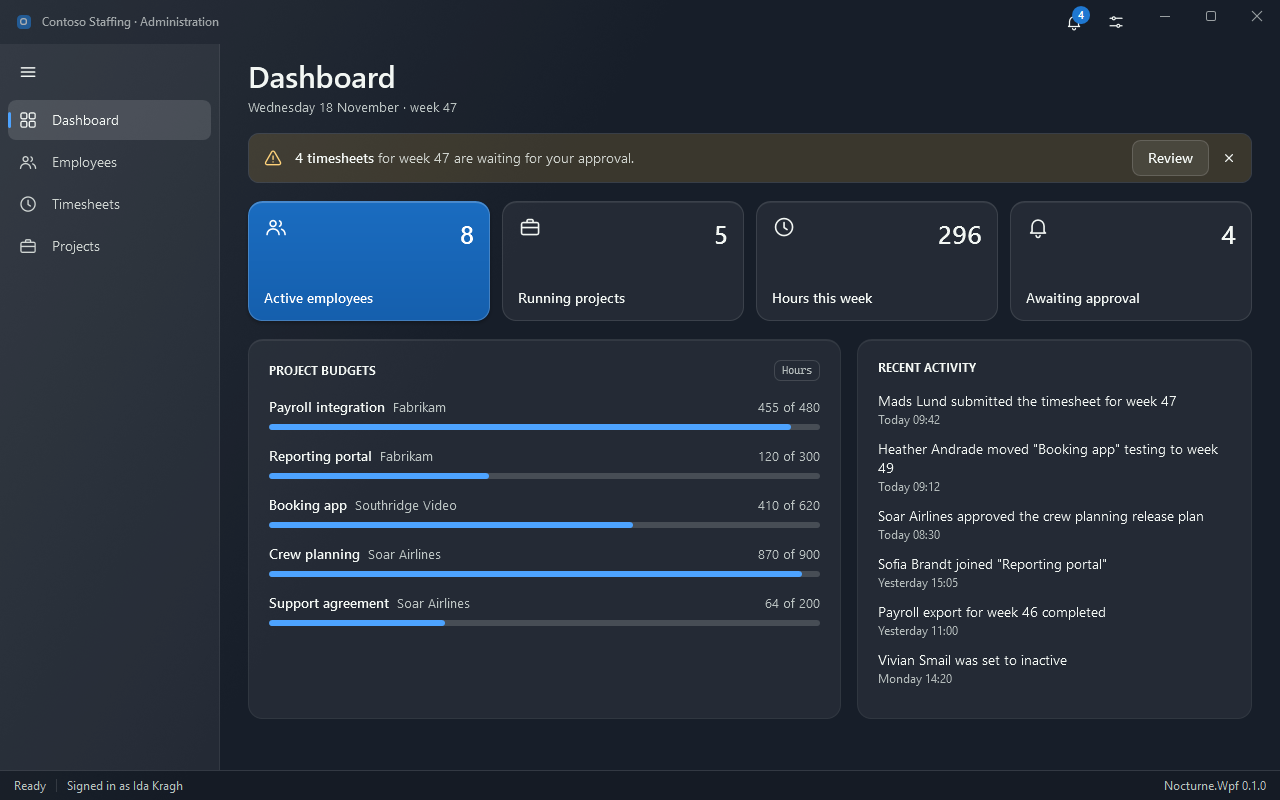
Dashboard
Accent and plain Tiles with the key figures, an InfoBar with an action button, and two cards: project budgets as ProgressBars and a list of recent activity.
Employees
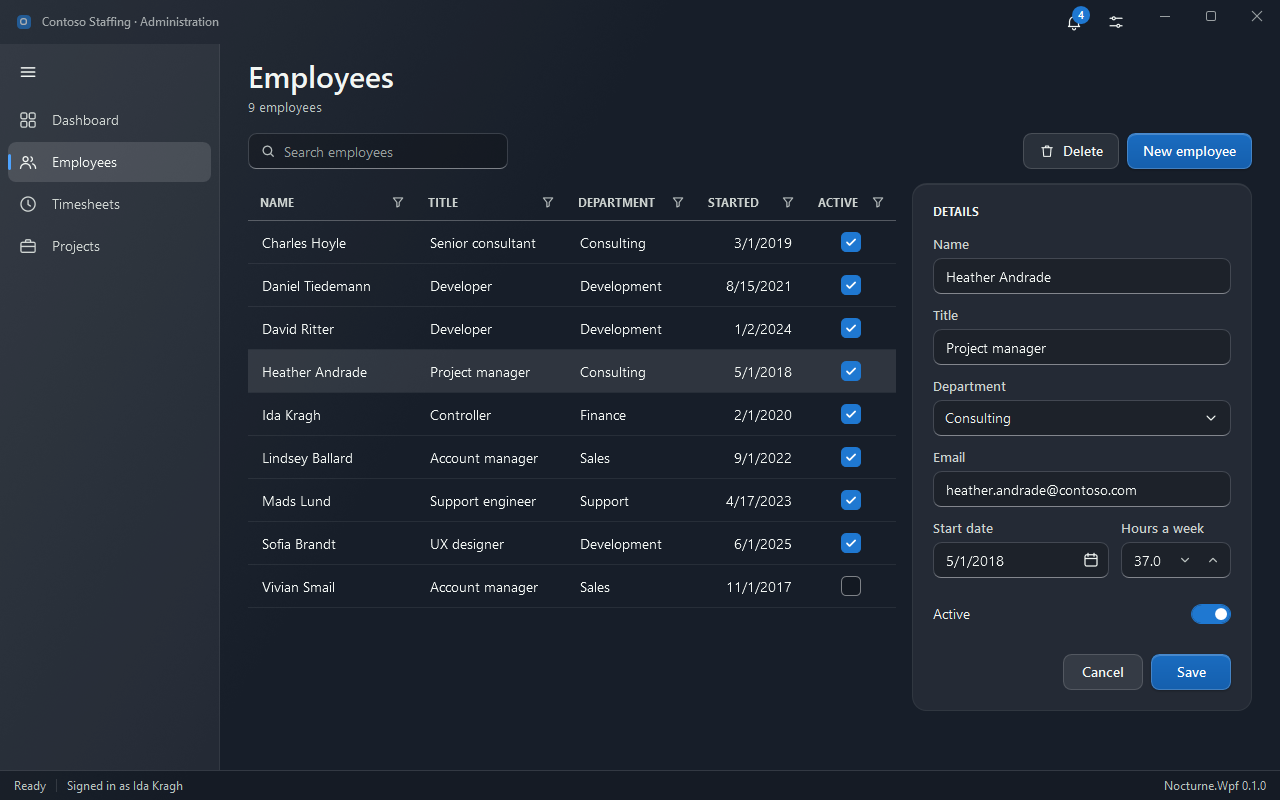
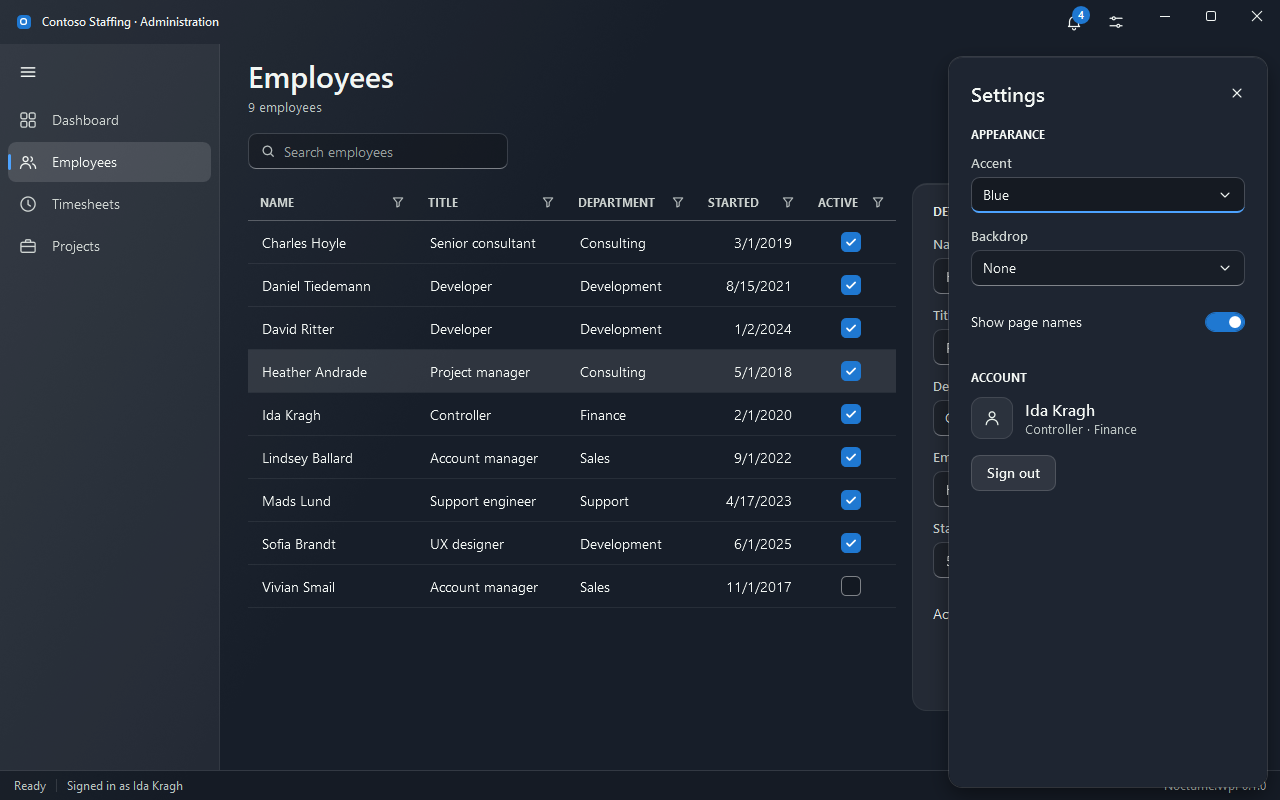
A NocturneGrid with filters in the column headers and a check box column next to a details form: TextBox, ComboBox, DatePicker, NumericUpDown and a toggle switch. The search box uses Nocturne.Styles.TextBox.Search; the tool bar has a primary button.
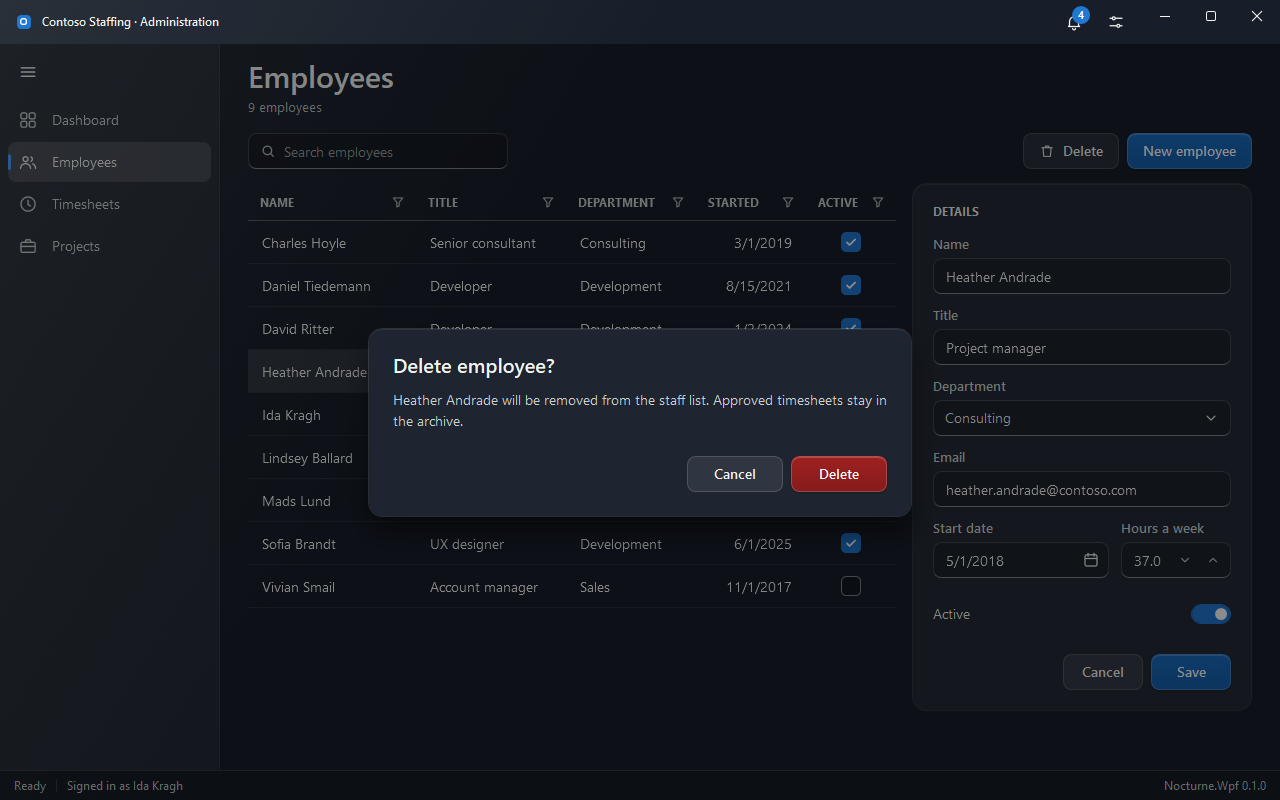
Delete asks first with a NocturneDialog:
The settings button opens a Flyout with the accent, the backdrop and the account:
Timesheets
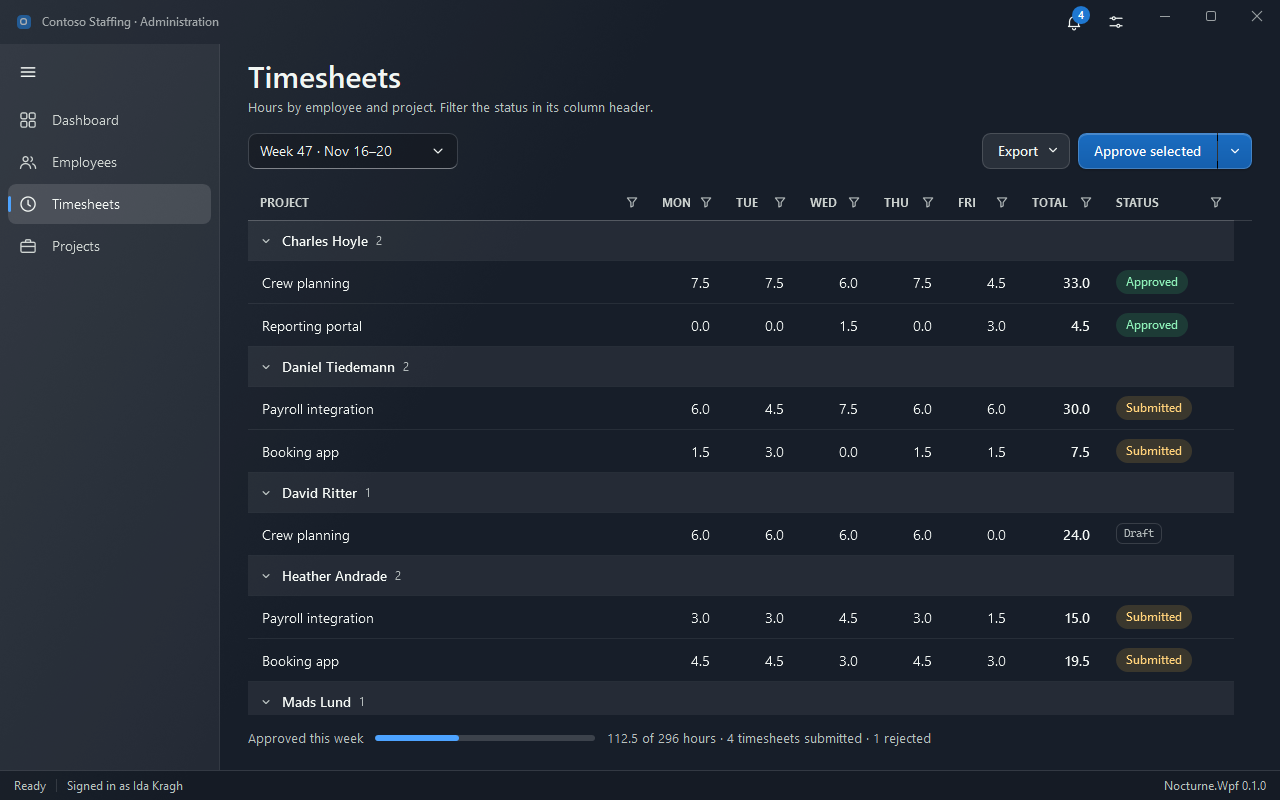
A NocturneGrid grouped by employee, with the week’s hours, a total and a status column of Nocturne.Styles.Tags (filtered from its header). Above it a week ComboBox, a DropDownButton for export and a primary SplitButton; a ProgressBar below sums up the week.
Projects
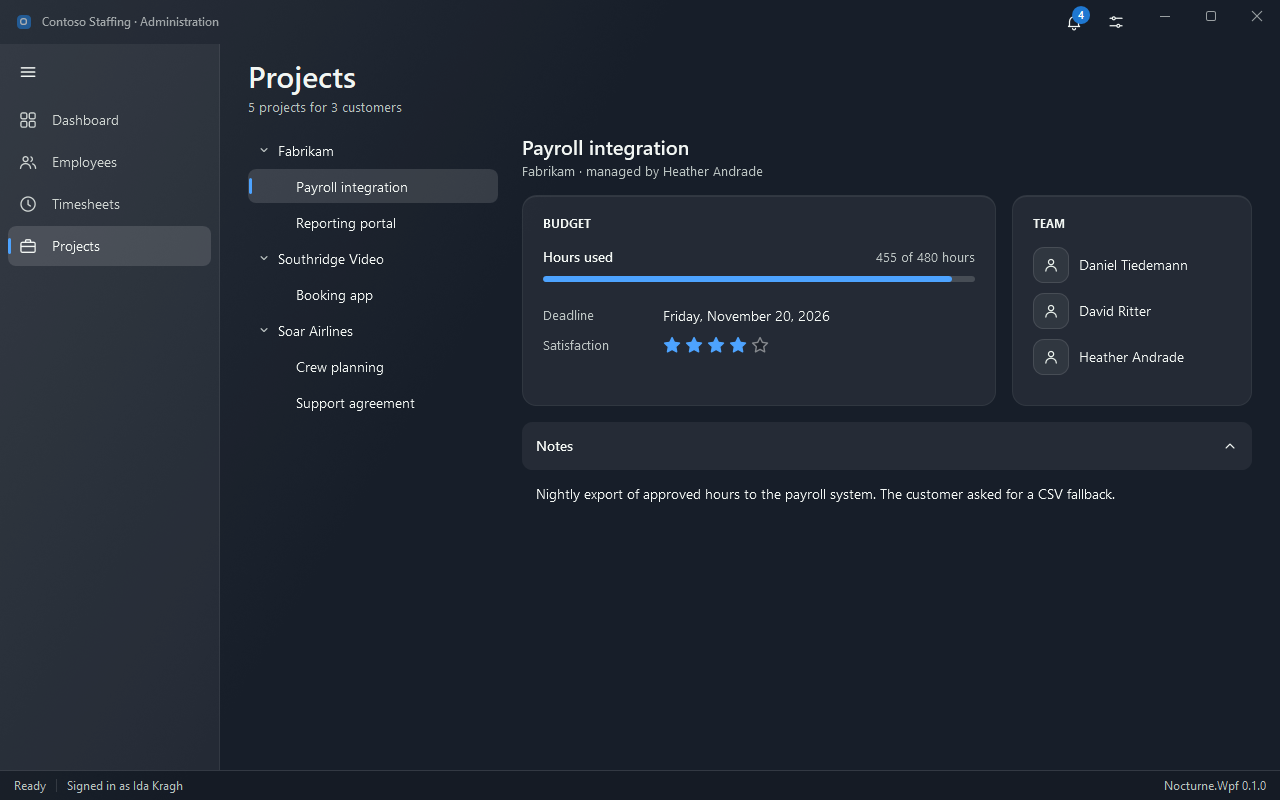
A TreeView of customers and projects beside the chosen project: a budget card with a ProgressBar, the deadline and a Rating, the team, and the notes in an Expander.
Portal
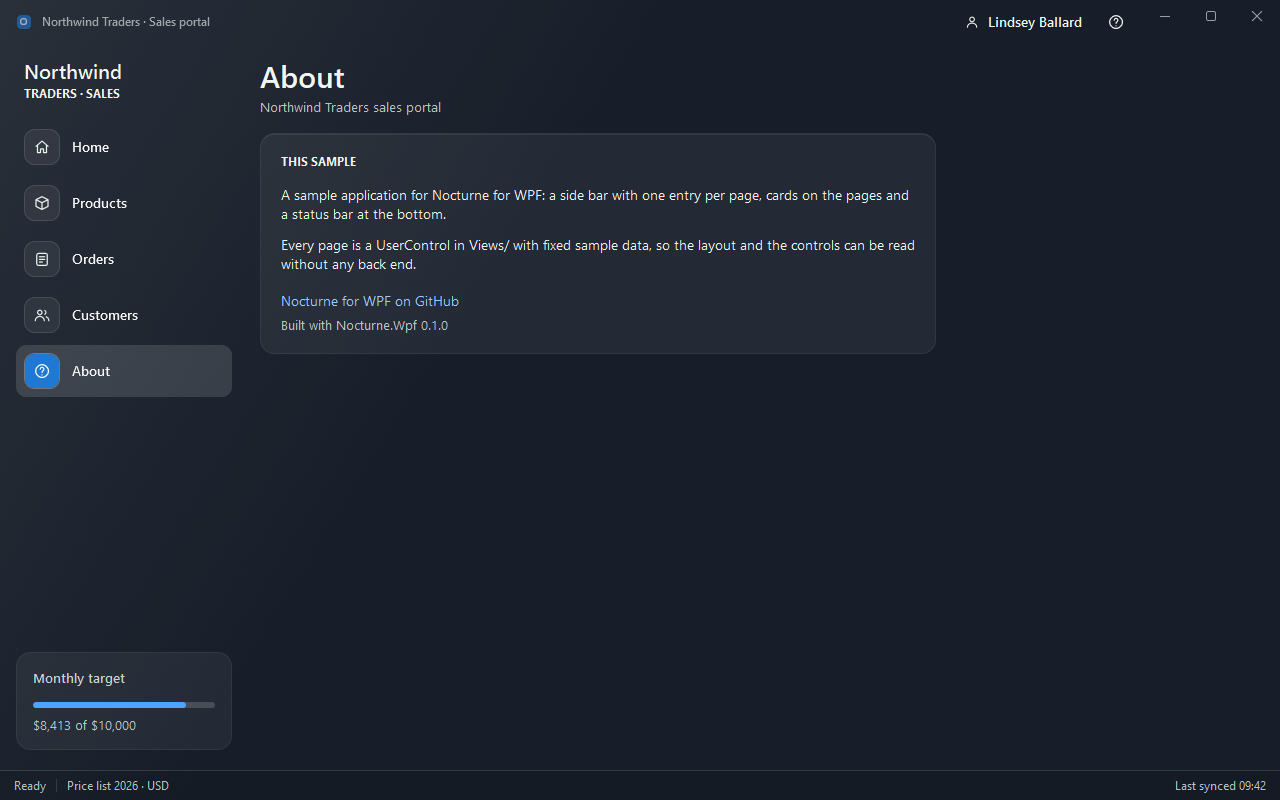
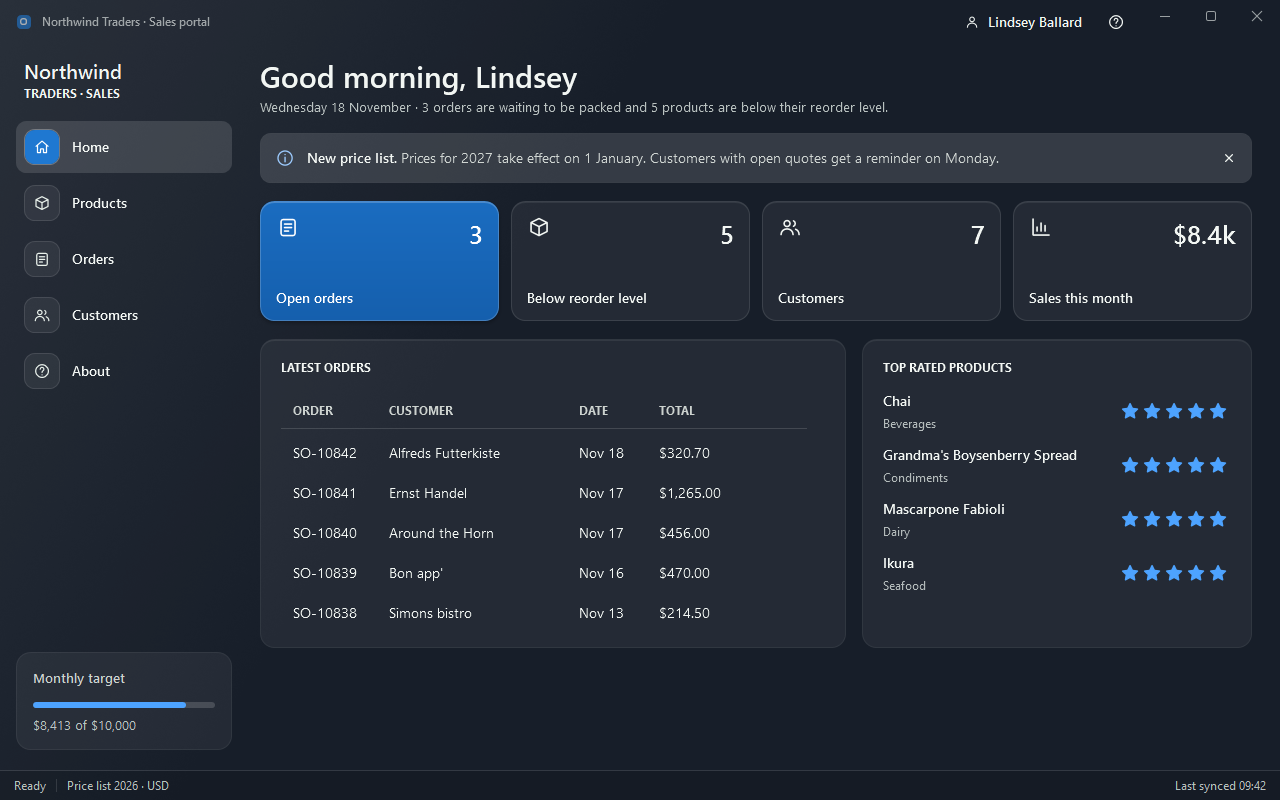
A sales portal. The side bar is a ListBox with Nocturne.Styles.ListBox.Navigation, with a monthly target card under it; the user’s name and a help button sit in the title bar.
Home
A greeting, an InfoBar, four Tiles, the latest orders in a ListView and the top rated products with their Rating.
Products
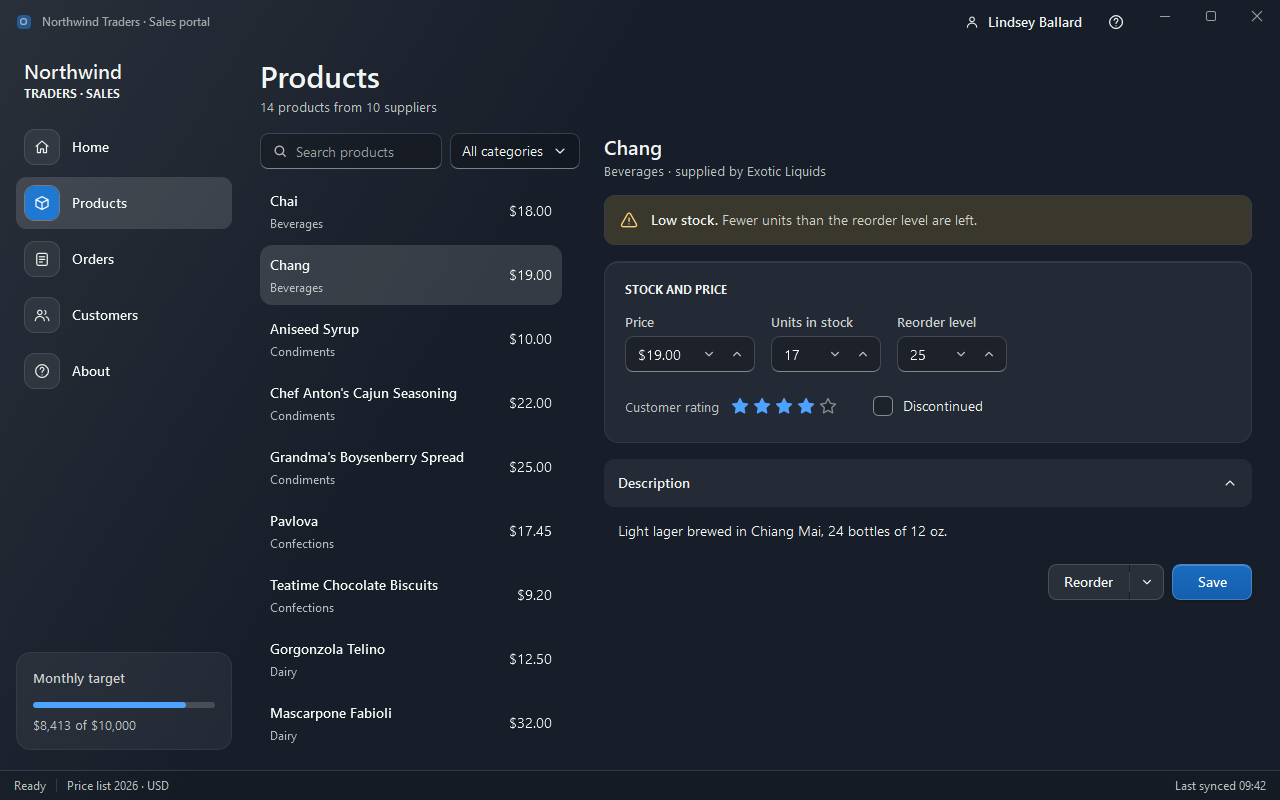
A searchable product ListBox with a category ComboBox, and the chosen product: a warning InfoBar, NumericUpDowns for price and stock, a Rating and a CheckBox, the description in an Expander, and a SplitButton next to the primary Save button.
Orders
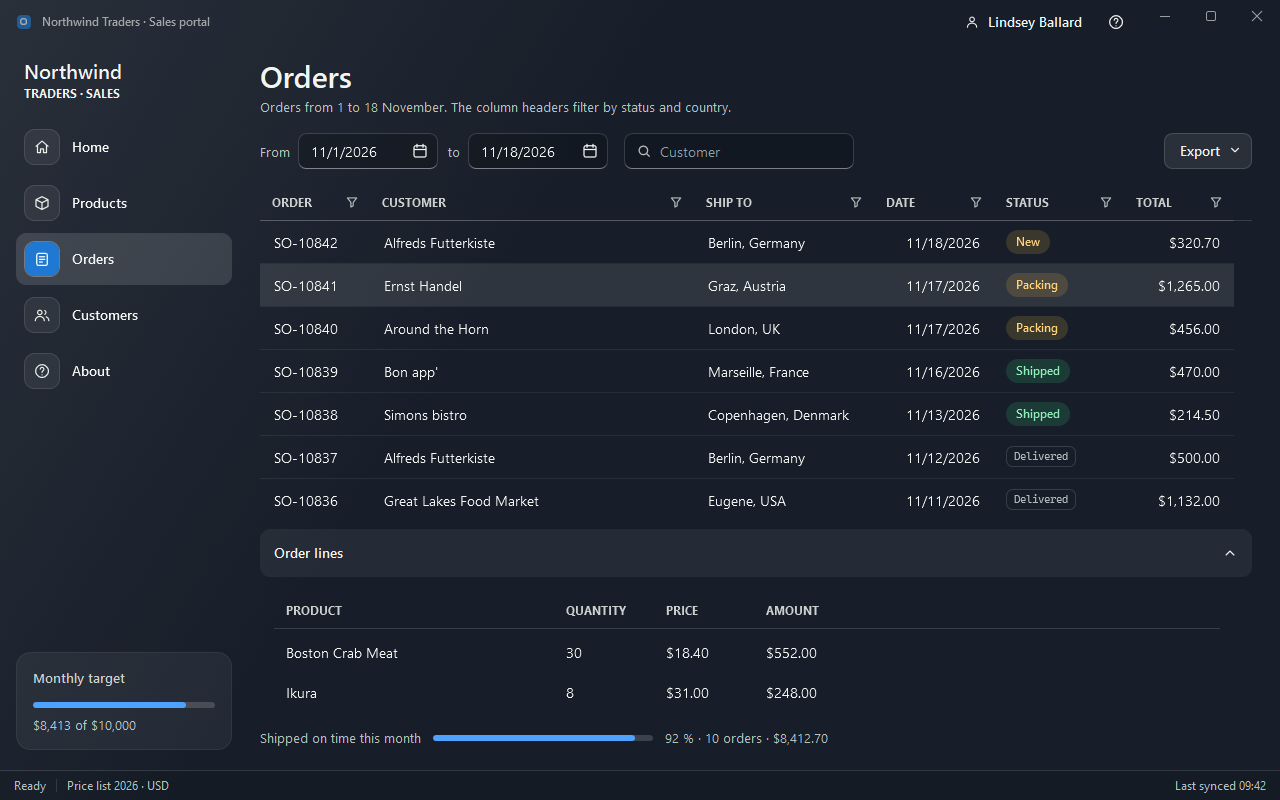
Two DatePickers and an AutoSuggestBox for the customer above a NocturneGrid with filtered status and country columns, and the chosen order’s lines in an Expander below.
Customers
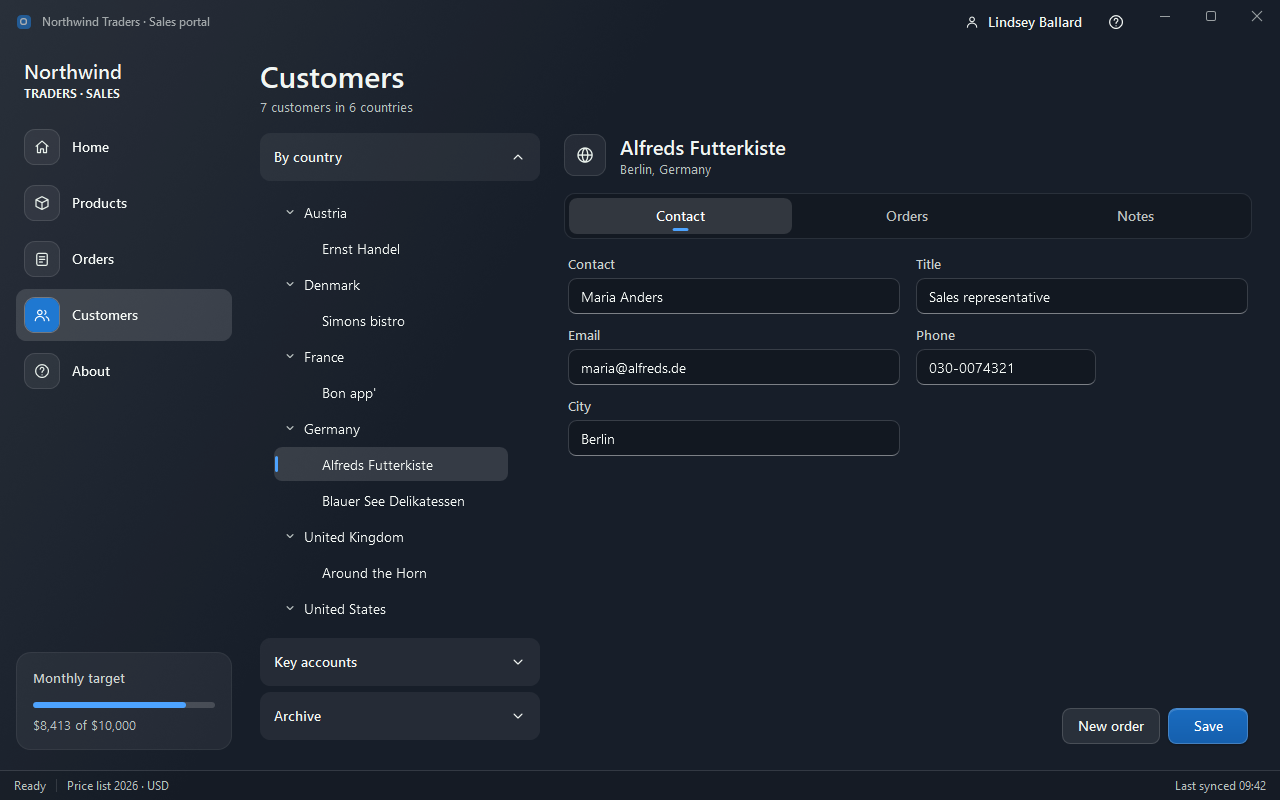
An Accordion with a TreeView of customers by country, and the chosen customer in a TabControl: contact form, orders (ListView) and notes (multi-line TextBox).
About
A card with text and a Hyperlink.