JetPack for the web
JetPack for the web is the JetPack look in HTML and CSS, for admin portals and other business sites. It is a Razor class library, published as the JetPack.Web package, with a tag helper for every control of the WPF demo, named after the control (<jp-combo-box>, <jp-tab-control>, <jp-date-picker> …). The CSS and JavaScript do not depend on .NET: any site can link them and write the markup itself.
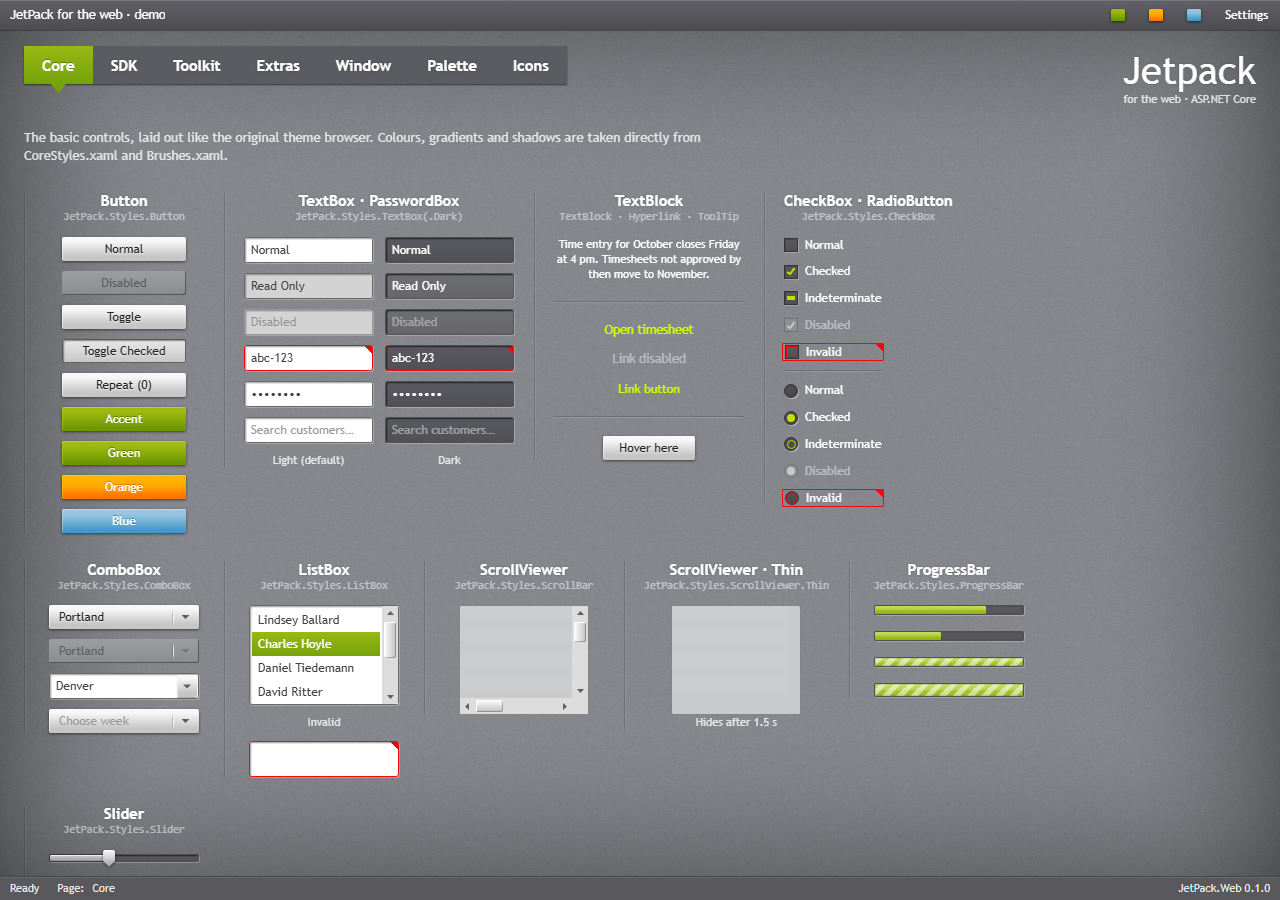
Start here
- Getting started: install, tag helpers, layout, the window frame, Tailwind.
- Theme and accent: accents, generated accents, focus visuals, font size, overriding colours.
- Typography: fonts, heading styles, icons.
Controls
| Page | Controls |
|---|---|
| Window and dialogs | the window frame (body.jp-window), title bar modes, window commands, jp-flyout, dialogs, JetPack.showDialog |
| Buttons | jp-button and its variants, jp-toggle-button, jp-repeat-button, jp-hyperlink, jp-split-button, jp-drop-down-button, jp-tile, jp-badged |
| Text and input | jp-text-box, jp-password-box, jp-label, validation, jp-combo-box, jp-numeric-up-down, jp-auto-suggest-box, jp-search-combo-box, jp-date-picker, jp-time-picker, jp-color-picker |
| Selection | jp-check-box, jp-radio-button, jp-toggle-switch, jp-slider, jp-range-slider, jp-rating |
| Lists and data | jp-list-box, jp-list-view, jp-tree-view, jp-data-grid, jp-calendar, jp-scroll-viewer |
| Navigation and layout | jp-tab-control (three looks), jp-hamburger-menu, jp-expander, jp-accordion, jp-group-box, jp-menu, jp-context-menu, jp-tool-bar, jp-status-bar, jp-grid-splitter, jp-separator, tool tips |
| Progress and status | jp-progress-bar, jp-progress-ring, jp-busy-indicator, jp-info-bar |
Reference
- Reference: every tag helper with its attributes, the CSS classes, the data attributes, the
window.JetPackAPI and thejp-changeevent of each control. - Demo and samples: the web demo, its gallery page and the MVC sample site.
What is in the package
| Part | File | Contents |
|---|---|---|
| Components | wwwroot/css/jetpack.css | The controls as CSS classes in cascade layers, in one file |
| Tokens | wwwroot/css/jetpack.tokens.css | The colours, gradients, fonts and shadows of JetPack.Wpf as CSS custom properties (already part of jetpack.css) |
| Tailwind | wwwroot/css/jetpack.tailwind.css | The tokens as Tailwind v4 theme variables (text-jp-soft, bg-jp-panel …) |
| Behaviour | wwwroot/js/jetpack.js | Drop-downs, calendar, sliders, menus, tabs, flyouts, dialogs, tool tips, validation call-outs, accents and the vignette; no dependencies |
| Tag helpers | TagHelpers/*.cs | <jp-*> elements with the WPF property names |
| Icons | wwwroot/img/icons.svg | The JetPackIcon set as an SVG sprite |
The web theme follows the WPF library: class names follow the WPF controls and style keys (ComboBox → .jp-combo-box, JetPack.Styles.Button.Accent → .jp-button--accent), tag helper attributes are the WPF property names in kebab case (IsEnabled → is-enabled), and the colours are generated from the same XAML dictionaries, so a desktop app and its web portal look the same.
Limitations
- JetPackGrid has no web version; use a grid library for large, filterable tables.
- Scroll bars get the JetPack look only in Chromium browsers (Edge, Chrome); Firefox gets colours only.
- Dates are shown as en-US (M/d/yyyy).
jetpack.tailwind.csshas not been tried with the Tailwind CLI yet; the demo and the sample use the browser build.