Theme and accent
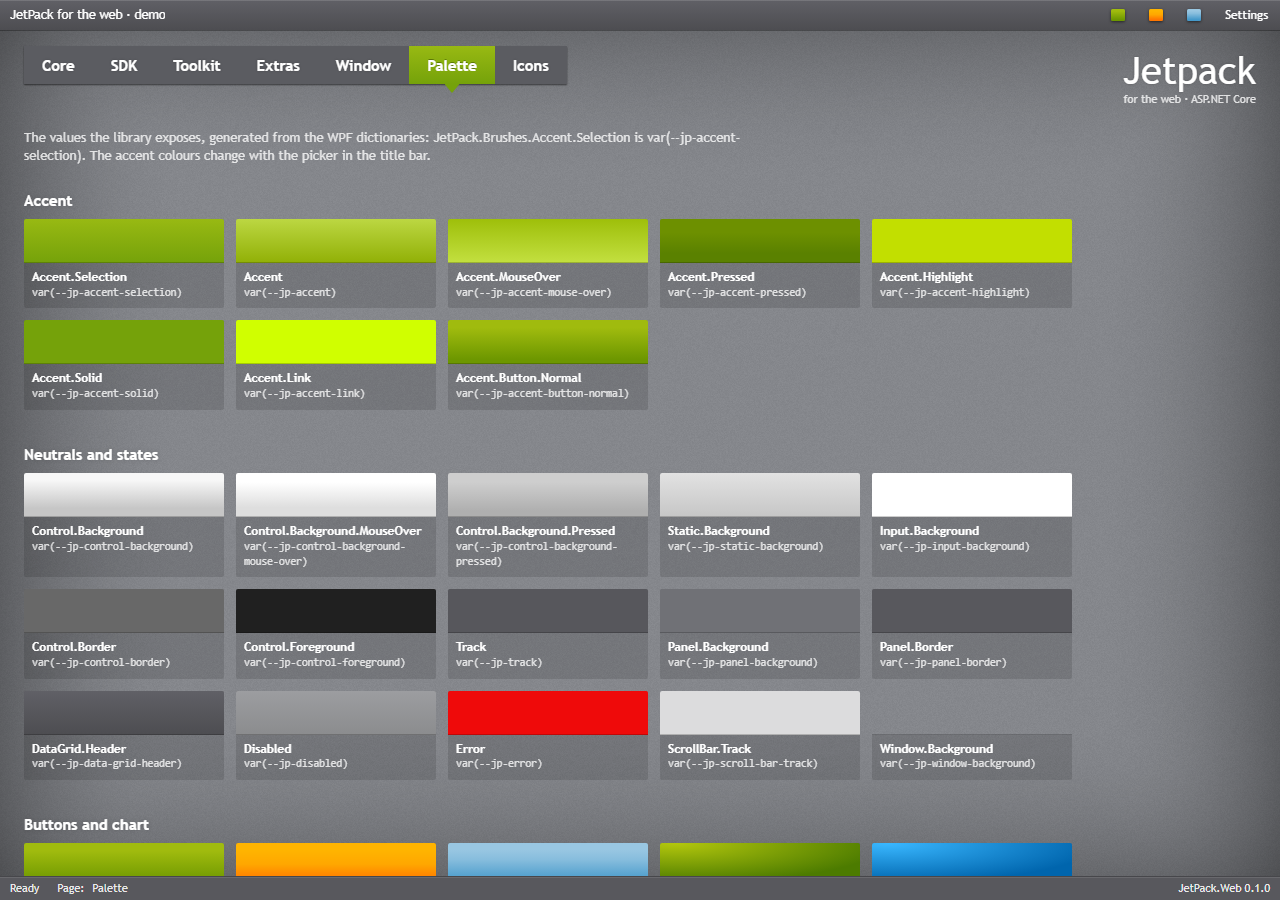
Accents
The three accents of the original theme are green (the default), orange and blue. The accent colours selections, checks, progress bars, tool tips, the selected tab and the accent buttons. It is the data-accent attribute of <html>:
<html lang="en" data-accent="orange">
data-accent also works on any other element, for one part of the page. From script, as ThemeManager.ChangeAccent in WPF:
JetPack.ThemeManager.changeAccent('orange');
JetPack.ThemeManager.currentAccent;            // 'orange'
JetPack.ThemeManager.onAccentChanged(accent => { /* redraw a chart */ });
document.addEventListener('jp-accent-changed', e => console.log(e.detail));
changeAccent remembers the choice in the browser (localStorage), and jetpack.js sets it again before the next page is drawn, so the stored accent wins over the page’s own data-accent.
Without script
Radio buttons with data-jp-accent switch the accent when checked and show the current one; a button with data-jp-accent-button="green" switches when clicked (the demo’s title bar swatches):
<label class="jp-radio-button"><input type="radio" name="Accent" value="green" data-jp-accent checked> Green</label>
<label class="jp-radio-button"><input type="radio" name="Accent" value="orange" data-jp-accent> Orange</label>
<button type="button" data-jp-accent-button="blue">Blue</button>
Generated accents
changeAccent('#8E44AD') builds a whole accent from one colour, as ThemeManager.ChangeAccent(Color) does in WPF. It is a port of AccentGenerator: the gradients, highlight and shadow get the same lightness and saturation offsets as the green accent, so a generated accent has the same depth. The values are set as custom properties on <html>, and currentAccent returns the colour.
JetPack.ThemeManager.changeAccent('#8E44AD');
Very light colours (yellow, pale blue) give white text on a light background on accent buttons; pick a mid-tone base colour. A jp-color-picker that calls changeAccent from its jp-change event lets users pick their own, as in the demo’s Settings flyout.
Focus visuals
JetPack shows a 1px ring in the accent highlight around the focused control when the focus moves by keyboard (:focus-visible), and an accent border on focused text boxes. To hide the ring, as the original Silverlight theme did:
JetPack.ThemeManager.showFocusVisuals = false; // remembered in the browser
or with a check box: <input type="checkbox" data-jp-focus-visuals checked>. It sets data-focus="off" on <html>.
Control font size
Controls use 12px; the original used 11px:
JetPack.ThemeManager.controlFontSize = 11; // remembered in the browser
It sets --jp-font-size-control on <html>. Headings and page text keep their size (see Typography).
Overriding colours
Every colour, gradient, font and shadow is a CSS custom property, named after the WPF resource key:
| WPF resource key | CSS |
|---|---|
JetPack.Brushes.Control.Background | var(--jp-control-background) |
JetPack.Brushes.Panel.Background | var(--jp-panel-background) |
JetPack.Brushes.Error | var(--jp-error) |
JetPack.Colors.Accent.TextShadow | var(--jp-color-accent-text-shadow) |
JetPack.Font.Size.Content | var(--jp-font-size-content) |
The whole list is at the top of jetpack.css (the tokens), the demo’s Palette tab shows them, and the resource keys of the WPF library say what each one is for. Set a property after jetpack.css to change it for the site, or on an element to change it for that part of the page:
:root {
  --jp-error: #C00000;
  --jp-panel-background: #65666B;
}
.invoice-panel { --jp-panel-background: #5B5C61; }
The properties that change with the accent (--jp-accent*, --jp-color-accent*, --jp-focus*) are set per data-accent; override them in a rule with the same selector, [data-accent="green"], or generate an accent instead.
Window background
The page ground is a tiled 200×200 texture (--jp-window-background, drawn from scratch by tools/generate_backgrounds.py) on --jp-window-ground, with the vignette on top. The vignette is a <canvas class="jp-vignette"> that jetpack.js draws in the same way as Controls/Vignette.cs: a shade along each edge, joined at the corners and dithered so it does not band. Leave the canvas out for no vignette, or replace the texture:
body { --jp-window-background: url("/img/my-texture.png"); }